
Vectorworks tools
Stanchion Layout
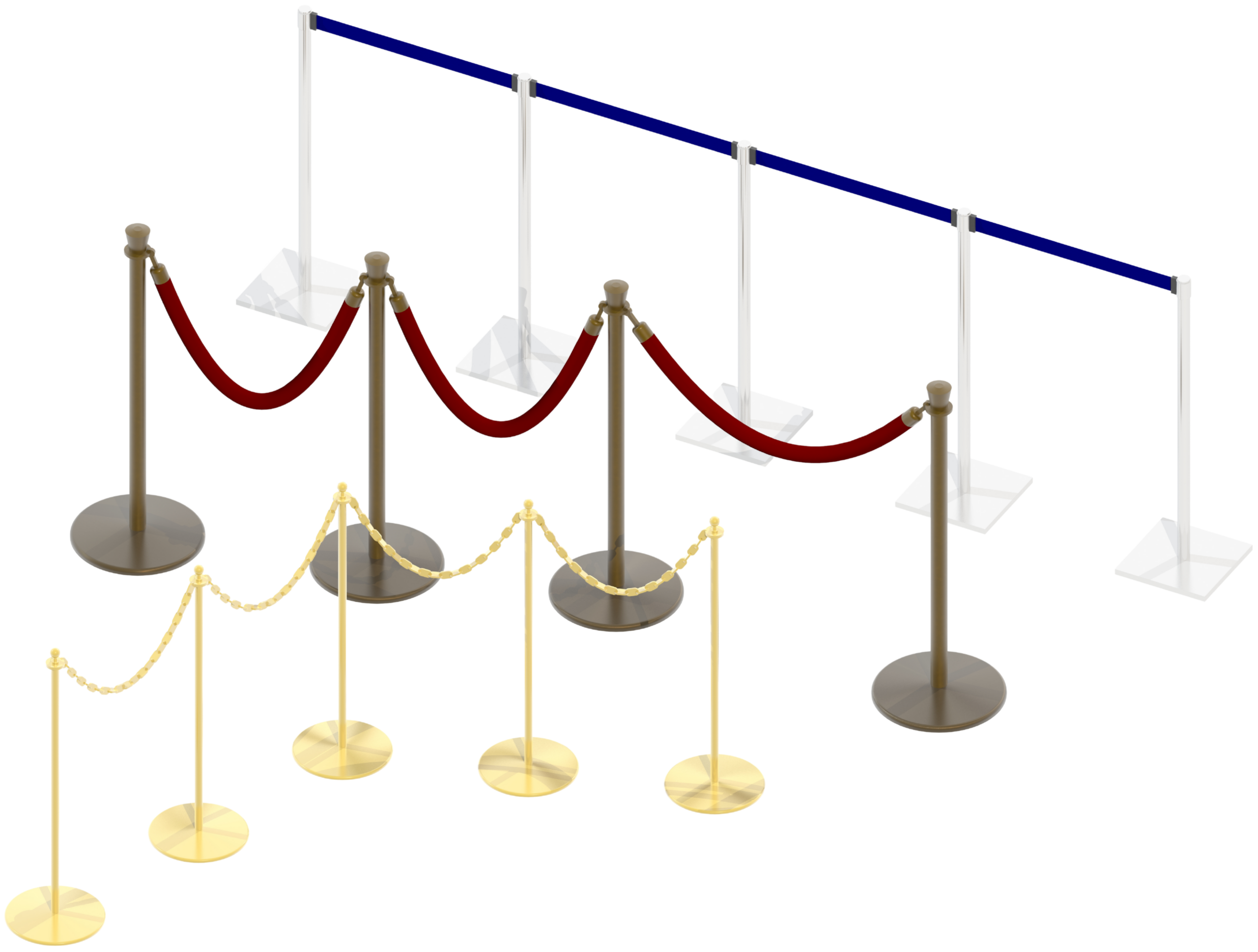
The cost of Stanchion Layout is $28
Stanchion Layout creates easily-resized models of stanchion layouts and their associated belts, chains, and ropes, effortlessly generating configurations that are otherwise tedious to build and modify.
What's Included
Fully Adjustable Geometry — Adjust stanchion base and post dimensions, belt, rope, and chain dimensions, and stanchion spacing on the fly.
Automatic Textures — All 3D model elements are automatically textured. Choose and apply 3D colors and textures through the familiar "3D Options" dialog, complete with texture thumbnails. Several stock textures are generated on the fly, and the tool recognizes textures already in your drawing, as well as Vectorworks® and Spotlight® defaults.
Customizable Classes — Assign different parts of each Stanchion Layout object to different Classes, with full control over which parts are classed and what the custom Class names are.
Trackable Data — Display select text directly on drawings, and track data like part counts through Worksheets and Reports.
Now Part of Vectorworks Spotlight
A version of Stanchion Layout has been part of Vectorworks Spotlight® since 2018. That said, the Landru Design version so many users depend on is still very much alive, and still offers real advantages:
Works Without Spotlight
Runs in any Vectorworks package, version 2024® or newer, including 2027. Spotlight® and Designer® are not required.
Faster Fixes
Quicker turnaround on fixes and future updates, so issues get resolved sooner.
Ongoing Improvements
New features and refinements added regularly as the tool continues to evolve.
System Requirements
Stanchion Layout works with Windows and Mac Vectorworks® 2024 or newer, including 2027. Please confirm compatibility before purchasing, refunds are not issued for version incompatibility.
Upgrading from a Previous Version
Stanchion Layout version 1.12002 is available free of charge to users who purchased a previous-version license on or after September 16, 2025. Contact us for download information, you'll need to provide the last six characters of your Vectorworks® serial number.
How to Purchase
- Choose your license.
- Enter the last six characters of your Vectorworks® serial number.
- Click the Add to Cart to complete your purchase.
What happens next: When you pay by credit card or direct deposit, you'll receive an email within one business day with a link to your download page, a password, and your license key.
Please note: eChecks take 3 to 4 business days to clear.