
Vectorworks tools
SoftGoods 2
The cost of SoftGoods 2 is $50
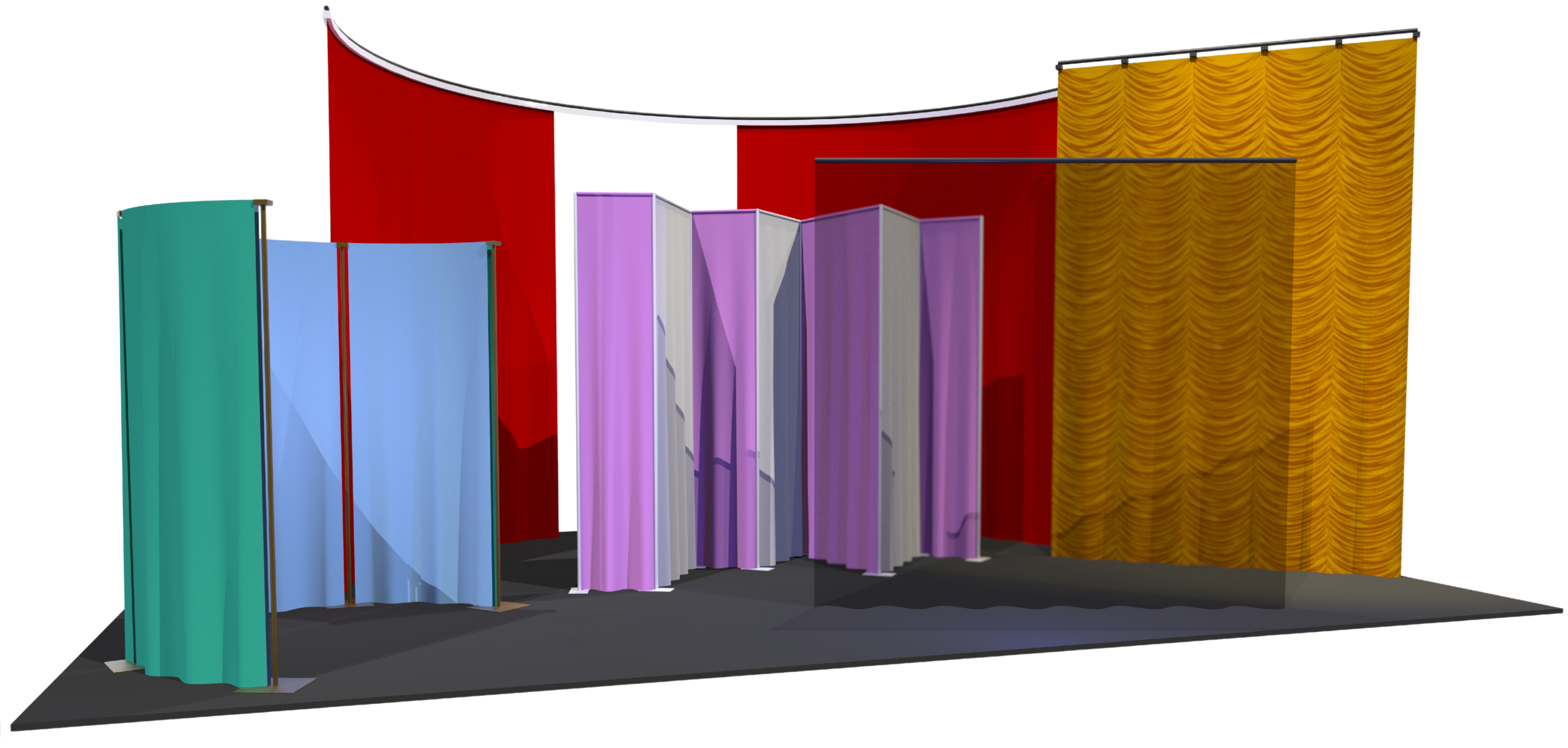
SoftGoods 2 is a Vectorworks® Plug-In Object that lets you insert models of straight and curved curtains, borders, and pipe-and-drape runs into your drawings, either from scratch or based on existing geometry.
What's Included:
Flexible Path-Based Modeling — As a Path Plug-In Object, SoftGoods 2 creates single and multi-segment objects, straight and curved, similar to Vectorworks'® Polylines. Resize models by dragging Control Points or adjusting values in the familiar Object Info Palette.
Pipe-and-Drape Runs — The tool automatically calculates spacing and tracks slider lengths, hardware, and drape counts. Version 2.55 adds a "Non-Sleeve" option for modeling systems similar to those offered by Wentex®, along with an easier way to create arched openings.
Automatic Textures — Textures are automatically created and applied across all SoftGoods 2 model parts, including opaque drapery and scrims. Custom images can also be applied, scaled, and positioned. The download package includes sample custom textures, plus a selection of popular Rose Brand® fabrics, optimized for Vectorworks 2016 and newer, the result of our ongoing partnership with Rose Brand®.
On-the-Fly Adjustments — Change curtain height, trim, curtain openings, panel overlap, track visibility, and pleat sizing anytime, with select text displayed directly on each instance.
Now Part of Vectorworks Spotlight
SoftGoods 2 is a Vectorworks® Plug-In Object that lets you insert models of straight and curved curtains, borders, and pipe-and-drape runs into your drawings, either from scratch or based on existing geometry.
Works Without Spotlight
Runs in any Vectorworks package, version 2024® or newer, including 2027. Spotlight® and Designer® are not required.
Faster Fixes
Quicker turnaround on fixes and future updates, so issues get resolved sooner.
Ongoing Improvements
New features and refinements added regularly as the tool continues to evolve.
Resources
Download the SoftGoods 2 Manual for more details and step-by-step instructions on using the tool.
System Requirements
SoftGoods 2 works with Windows and Mac Vectorworks® 2024 or newer, including 2027. Please confirm compatibility before purchasing, refunds are not issued for version incompatibility.
Upgrading from a Previous Version
SoftGoods 2 version 2.55 is available free of charge to users who purchased a previous-version license on or after September 16, 2025. If you qualify, contact us for download information, you'll need to provide the last six characters of your Vectorworks® serial number. All other users can find upgrade pricing below.
How to Purchase
- Choose your license.
- Enter the last six characters of your Vectorworks® serial number.
- Click the Add to Cart to complete your purchase.
What happens next: When you pay by credit card or direct deposit, you'll receive an email within one business day with a link to your download page, a password, and your license key.
Please note: eChecks take 3 to 4 business days to clear.