
Vectorworks tools
Audio ToolSet 2
The cost of Audio ToolSet 2 is $86
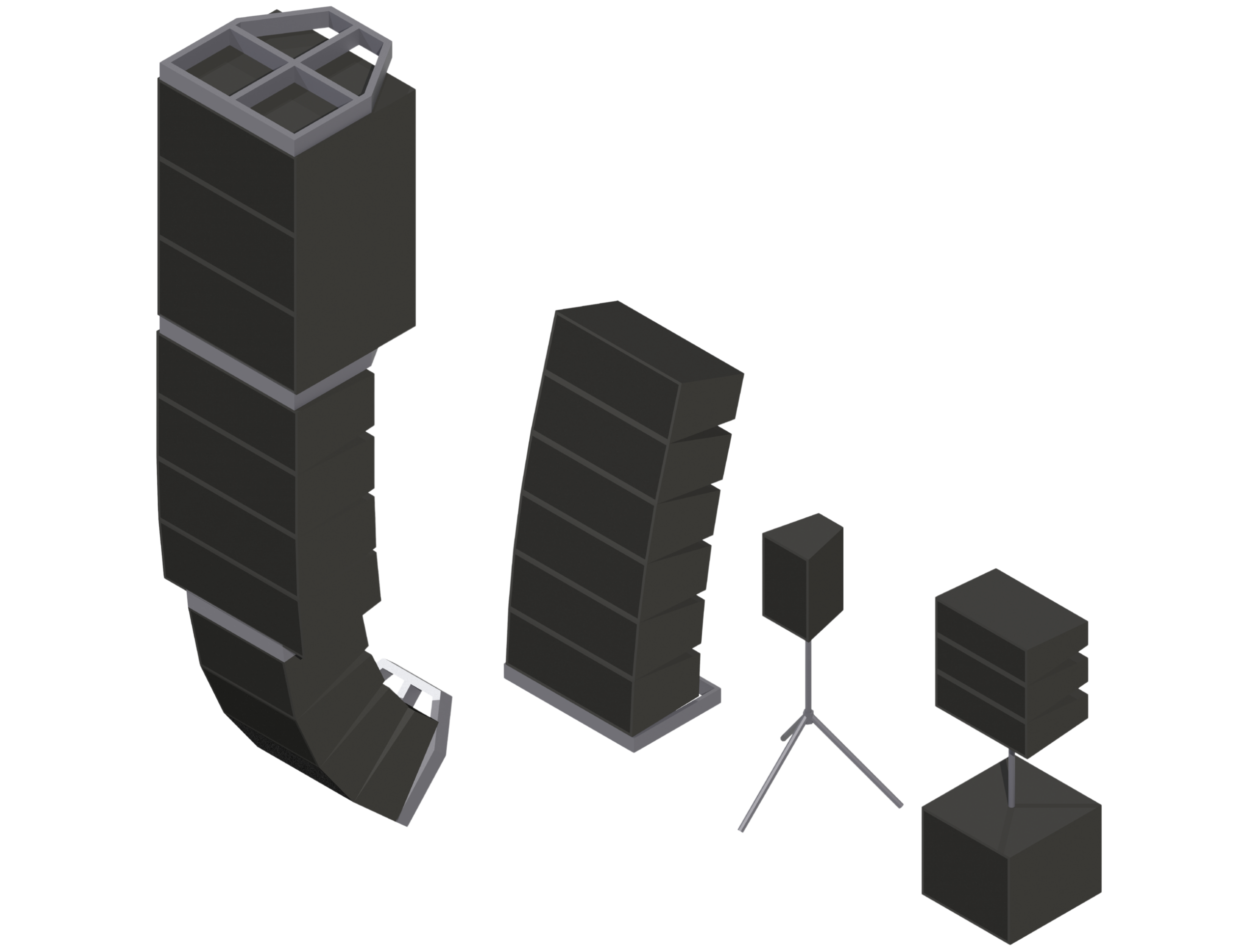
Audio ToolSet 2 is the first set of audio Plug-In Objects built for Vectorworks®. This pair of tools, AudioBox 2 and AudioArray 2, lets you insert simple Hybrid (2D/3D) models of loudspeakers and flown or ground-stacked line arrays directly into your drawings.
While not meant to replace, or approach the complexity of, manufacturer or third-party sonic analysis software, these flexible tools are great for:
Performing basic audio coverage analysis
Creating audio system layout drawings
Checking general space requirements
Visualizing audio components for a project
What Every Tool Delivers:
Fully Adjustable Geometry — Change loudspeaker and bumper geometry on the fly based on your own specifications, or insert existing symbols instead.
Saved Configurations — Save regularly-used configurations to a library for quick retrieval later.
Trackable Data — Track key information like brand and model, weight, project location, purpose, drive line, trim height, wattages, and tilt angle, most of which can be displayed directly on drawings as text.
AudioBox 2
- Displays variable symmetrical and asymmetrical dispersion areas in 2D and 3D, automatically compensating for the drawing's Ground Plane and a user-defined listening height.
- Supports three independently-definable Dispersion Ranges, each individually classed and color-coded, so you can visualize performance across different frequency ranges, crossover points, or dB drop-offs.
- Flips loudspeakers to sideways orientation.
- Creates ceiling speakers.
- Creates adjustable tripods, stands, and yokes.
AudioArray 2
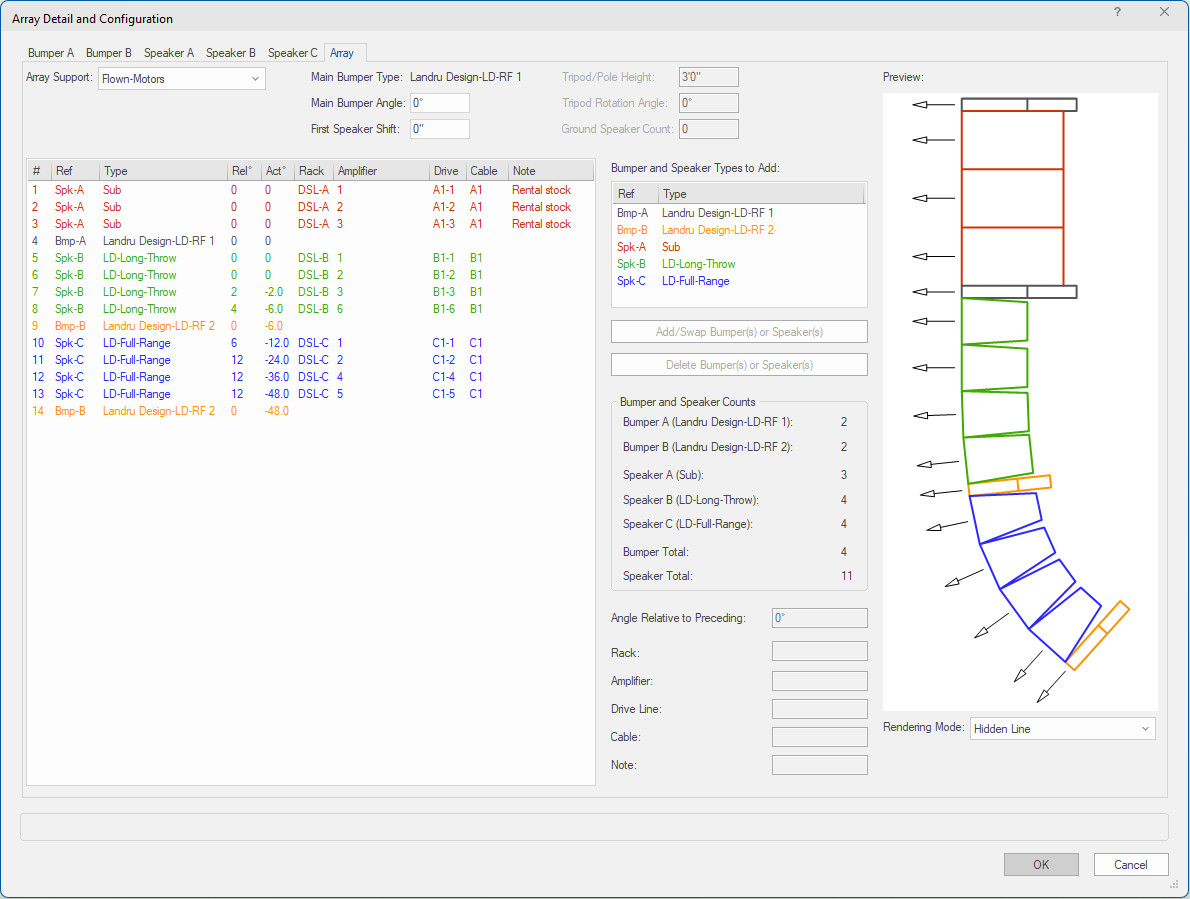
- Features a user-friendly "Config Array" dialog with live preview windows, so you can see changes to loudspeakers, bumpers, and the overall array as you make them.
- Supports up to 42 loudspeakers and/or bumpers per array, across up to three independent loudspeaker types and two bumper types, each with fully independent geometry and data.
- Allows independent element-to-element angles for every loudspeaker or bumper in the array.
- Creates flown, ground-stacked, sub-pole, and tripod-based arrays, including non-rectangular and "T"-shaped bumpers, bumperless arrays, and sub-pole configurations.
- Supports bulk data entry across multiple fields directly through the Config Array dialog.
- Offers multiple rendering modes for preview boxes in the Array Detail and Configuration dialog.
Now Part of Vectorworks Spotlight
A version of Staging ToolSet 2 has been part of Vectorworks Spotlight® since 2015. That said, the Landru Design version so many users depend on is still very much alive, and still offers real advantages:
Works Without Spotlight
Runs in any Vectorworks package, version 2024® or newer, including 2027. Spotlight® and Designer® are not required.
Faster Fixes
Quicker turnaround on fixes and future updates, so issues get resolved sooner.
Ongoing Improvements
New features and refinements added regularly as the tool continues to evolve.
Resources
View a brief Audio ToolSet 2 movie or download the Audio ToolSet 2 Manual for detailed instructions on using the tools.
System Requirements
Audio ToolSet 2 works with Windows and Mac Vectorworks® 2024 or newer, including 2027. Please confirm compatibility before purchasing, refunds are not issued for version incompatibility.
Upgrading from a Previous Version
Audio ToolSet 2 version 3.4401 is available free of charge to users who purchased a previous-version license on or after September 16, 2025. If you qualify, contact us for download information, you'll need to provide the last six characters of your Vectorworks® serial number. All other users can find upgrade pricing below.
How to Purchase
- Choose your license.
- Enter the last six characters of your Vectorworks® serial number.
- Click the Add to Cart to complete your purchase.
What happens next: When you pay by credit card or direct deposit, you'll receive an email within one business day with a link to your download page, a password, and your license key.
Please note: eChecks take 3 to 4 business days to clear.